For Apple Silicon
See every device on your network
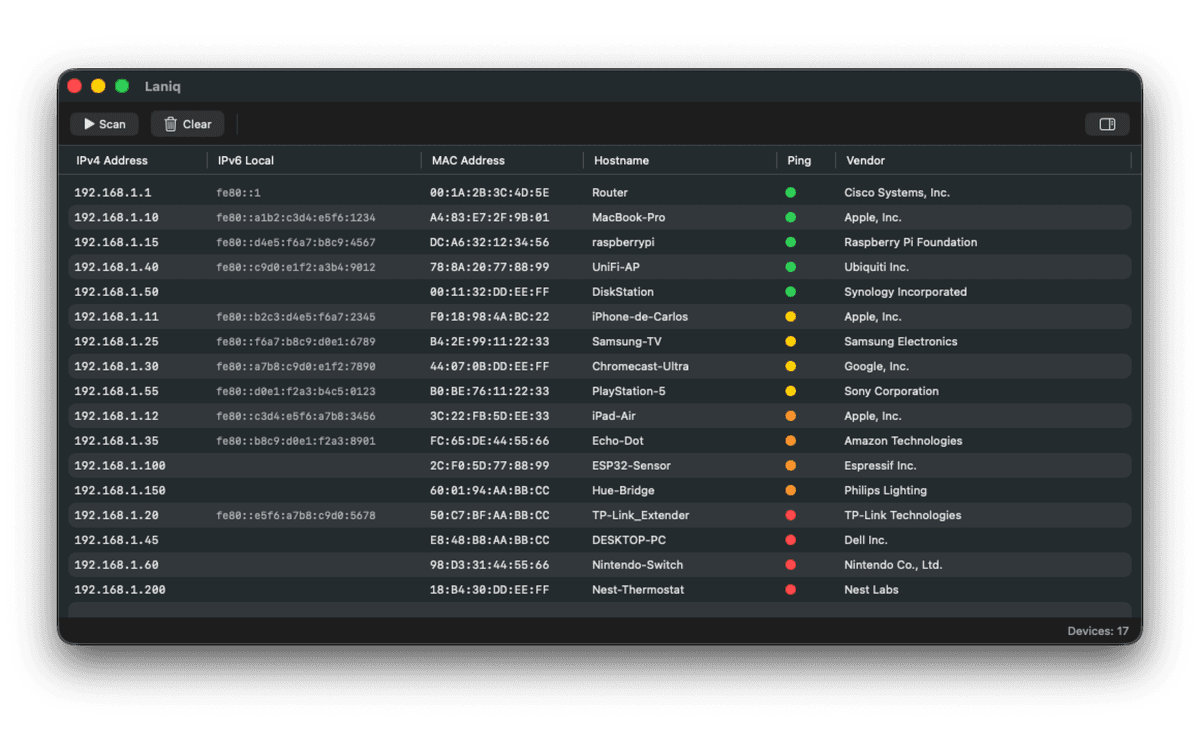
Laniq scans your network and shows all connected devices. Native macOS app for M1, M2, and M3 chips.
Everything you need to
monitor your network
Instant scanning
Discover all devices on your network in seconds. No configuration required, just click scan and see results.
Detailed information
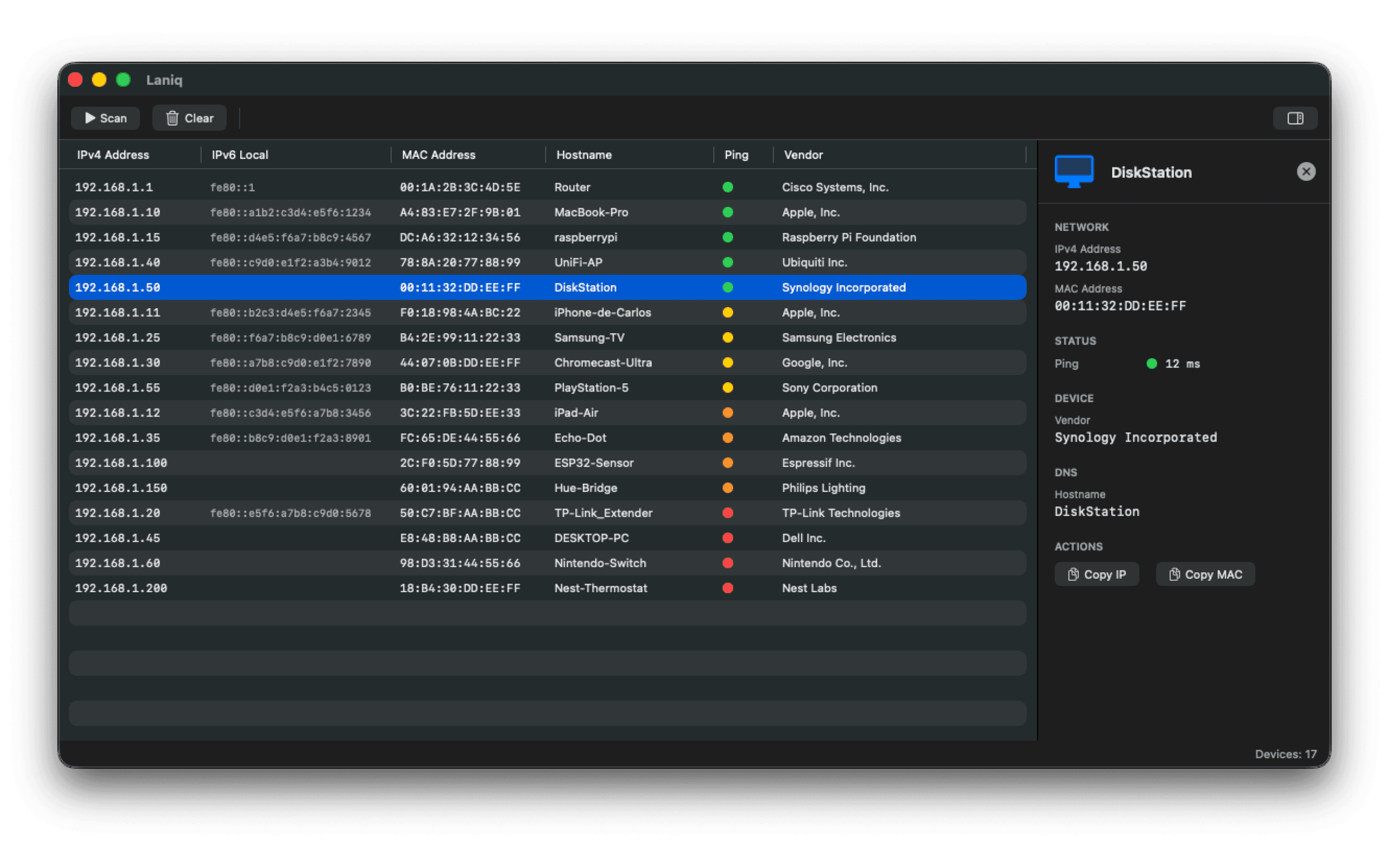
View IP addresses, MAC addresses, hostnames, vendors, and ping status for every device detected.
Network insights
Identify routers, switches, smartphones, IoT devices, and more. Know exactly what's on your network.
Device tracking
Monitor device status in real-time with color-coded ping indicators. Spot connectivity issues instantly.
Network security
Detect unauthorized devices and potential security risks. Keep your network safe and under control.
Apple Silicon optimized
Built specifically for Apple M-series chips with exceptional performance and energy efficiency.
Simple to use,
powerful results
Launch Laniq
Open the app from your Applications folder. Laniq automatically detects your active network connection.
Click Scan
Hit the scan button and watch as Laniq discovers every device on your network in seconds.
Explore your network
View detailed information about each device. Sort, filter, and export your network data as needed.
Clean design meets
powerful functionality
Every detail has been carefully crafted to provide you with the most intuitive network scanning experience. View comprehensive device information at a glance.
- Real-time device status monitoring
- Sortable and filterable device lists
- Export your network data instantly